Managing payroll and HR can quickly become overwhelming but the right software can simplify everything from employee payments to compliance and benefits. 💼
Both Gusto and ADP are leading payroll platforms, but they’re built for very different business needs. One is known for its simplicity, transparent pricing, and small business focus, while the other offers advanced features, scalability, and enterprise-level solutions.
So the real question is:
👉 Which one is the better fit for your business size, budget, and growth plans?
In this guide, we’ll break down everything pricing, payroll features, HR tools, and real-world use cases so you can confidently choose the right platform without confusion. 🚀
⚡ Quick Comparison: Gusto vs ADP
| Feature | Gusto | ADP |
|---|---|---|
| Starting Price | $40/month + $6/person | ~$59+/month + $4–$25/person (custom quote) |
| Pricing Model | Transparent, published tiers | Opaque, quote-based, often requires negotiation |
| Ease of Use | Excellent (designed for non-accountants) | Moderate (can feel clunky and dated) |
| Best For | Startups and SMBs (1–500 employees) | SMBs to enterprise (any size, including Fortune 500) |
| Customer Support | Email, chat, phone (response times vary) | Phone, chat, dedicated reps for higher tiers |
| Implementation Fee | None | Often $2,000 – $8,000+ |
| Global Payroll | Limited (via EOR partners) | Yes (ADP GlobalView) |
🧾 What Is Gusto? (Overview + Best Use Cases)
Gusto is a cloud-based people platform that integrates payroll, benefits, HR, and compliance into one intuitive system. Founded in 2011 (originally as ZenPayroll), Gusto has grown rapidly by focusing on one thing: making payroll so simple that business owners actually enjoy using it. Today, Gusto serves over 300,000 businesses across the US, from solopreneurs to companies with hundreds of employees.
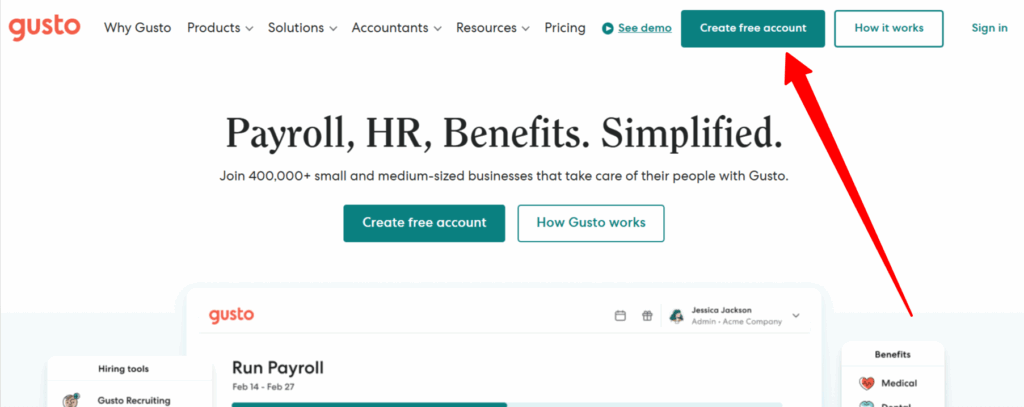
Key features include:
- Full-service payroll with automatic tax filing (all 50 states)
- Health insurance, 401(k), and workers’ compensation
- Employee onboarding, offer letters, and document management
- PTO tracking, time tracking, and project tracking
- Employee self-service portal (Gusto Wallet)
- Transparent, published pricing with no hidden fees
Best use cases for Gusto:
- 🚀 Startups and small businesses (1–500 employees)
- 👨💼 Service-based businesses (agencies, consultants, law firms)
- 🏢 Remote-first teams needing modern, cloud-native tools
- 👤 Freelancers and contractors (contractor-only plan available)
- 💼 Businesses that value design and user experience
🏢 What Is ADP? (Overview + Best Use Cases)
ADP (Automatic Data Processing) is a global payroll and human capital management (HCM) giant founded in 1949. With over 70 years of experience, ADP serves more than 1 million clients in 140+ countries, including many Fortune 500 companies. ADP offers multiple product lines tailored to different business sizes: ADP RUN (for small businesses, 1–49 employees), ADP Workforce Now (for mid-market, 50–1,000 employees), and ADP Vantage (for enterprise, 1,000+ employees).
Key features include:
- Full-service payroll with automatic tax filing
- Comprehensive benefits administration (health, 401(k), commuter)
- Advanced HR tools (succession planning, talent management)
- AI-powered analytics (ADP Assist platform)
- Global payroll (ADP GlobalView for multinational teams)
- Robust compliance automation for complex scenarios
Best use cases for ADP:
- 🇺🇸 Businesses with complex payroll needs (unions, shift differentials, garnishments)
- 🏢 Mid-market and enterprise companies (50+ employees)
- 🌍 Multinational organizations needing global payroll
- 🏗️ Industry-specific businesses (retail, hospitality, construction, healthcare)
- 👥 Companies with dedicated HR teams who need granular control
💰 Pricing Comparison: Gusto vs ADP (Plans, Costs & Transparency)
👉 Gusto offers transparent pricing starting around $49/month + per employee, while ADP typically requires custom quotes.
Gusto Pricing (2026)
Gusto publishes all its pricing publicly, with no hidden fees and a “cancel anytime” policy. Plans are billed monthly:
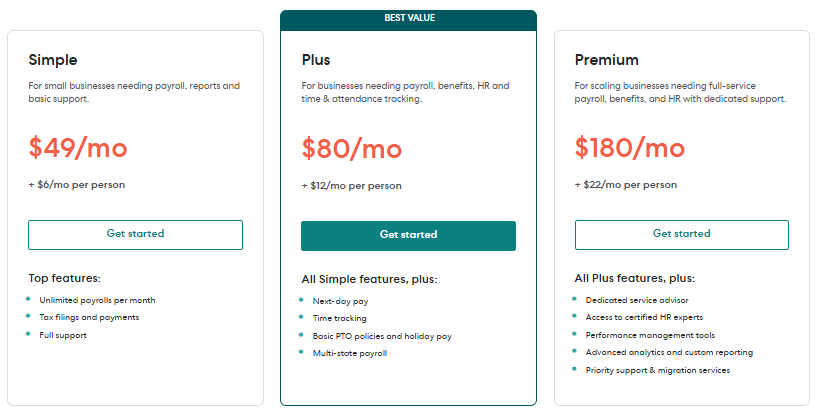
| Plan | Monthly Base Fee | Per-Person Fee | Key Features |
|---|---|---|---|
| Simple | $49 | $6 | Basic payroll, benefits, onboarding, 2-day direct deposit |
| Plus | $80 | $12 | Multi-state payroll, next-day direct deposit, PTO management, time tracking |
| Premium | $180 | $22 | Dedicated support, HR resource center, compliance alerts, advanced reporting |
| Contractor Only | $35 (no base fee) | $6/contractor | Pay and manage 1099 contractors only |
Gusto includes unlimited payroll runs, automatic tax filing, employee self-onboarding, and health benefits administration on all plans.
ADP Pricing (2026)
ADP does not publish its pricing publicly. Costs are quote-based and vary significantly based on business size, employee count, location, and selected modules. Expect to negotiate prices vary significantly by contract.
Typical ADP pricing ranges (based on industry data):
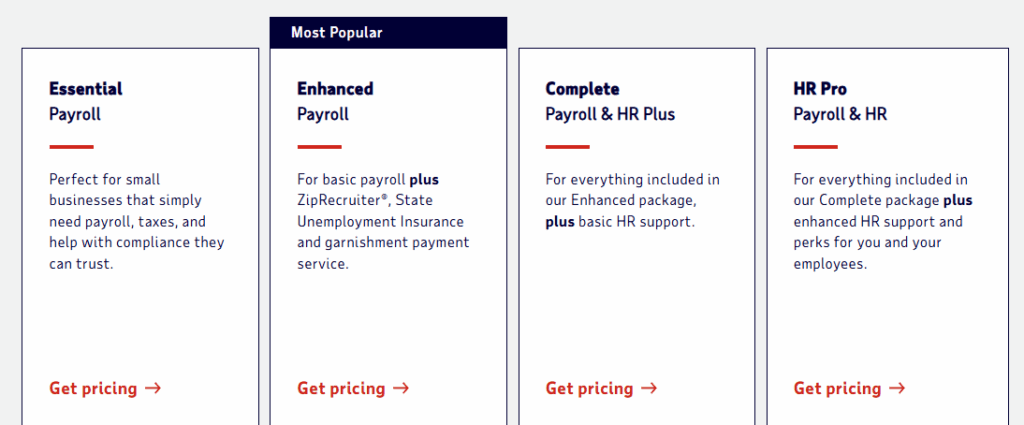
| Plan | Typical Monthly Fee | PEPM Fee | Best For |
|---|---|---|---|
| RUN Essential | ~$59+ | ~$12–$25 | Very small teams needing core payroll |
| RUN Enhanced | ~$79+ | ~$12–$25 | Small teams wanting recruiting/compliance help |
| RUN Complete | ~$99+ | ~$12–$25 | Growing teams adding HR basics |
| RUN HR Pro | ~$149+ | ~$12–$25 | Small businesses needing advanced HR support |
Additional costs often include a one-time implementation fee of $2,000–$8,000, depending on data migration and customization. The base pricing for U.S. payroll starts at approximately $79 per month plus $4 per employee. For larger companies, PEPM fees typically range from $12–$25 for small businesses, dropping to $8–$15 for enterprises.
Value Verdict
- For startups and small businesses on a budget → Gusto Simple ($40 + $6/person) wins. No hidden fees, no implementation costs.
- For mid-market and enterprise companies → ADP wins. It offers capabilities that Gusto simply cannot match (union payroll, global payroll, enterprise-grade analytics).
🧑💻 Ease of Use & Setup (Which Is More Beginner-Friendly?)
👉 Gusto is easier for small teams, while ADP may require more setup due to advanced features.
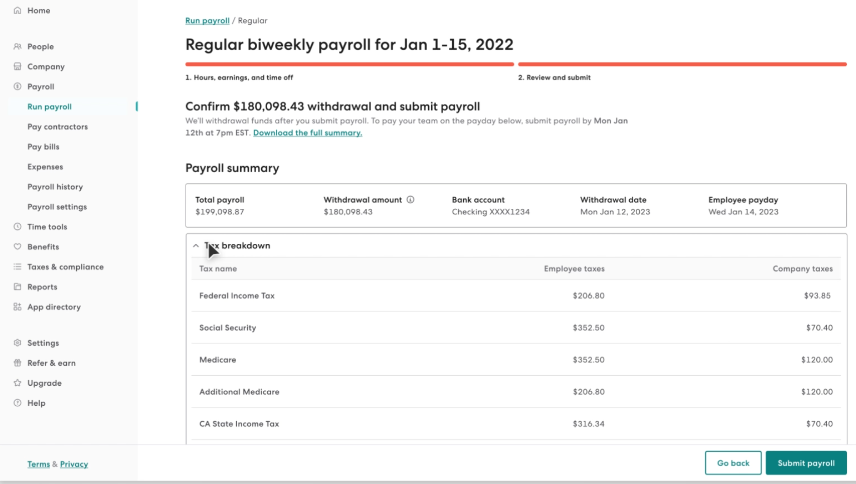
Gusto is widely considered one of the most intuitive payroll platforms on the market. New users consistently praise its clean interface, visual dashboard, and guided onboarding. Gusto’s “auto-pilot” payroll feature lets you set it and forget it, automatically running payroll on your chosen schedule. Most small business owners can set up Gusto and run their first payroll in under 30 minutes.
ADP has a steeper learning curve. Because it offers so many features and modules, the interface can feel cluttered and dated. Users report that navigating ADP’s various modules (payroll, time, benefits, HR) can be confusing without dedicated training. However, for power users and dedicated HR teams, ADP’s depth is a feature, not a bug.
Winner: Gusto (significantly easier for non-accountants and small teams).
📈 Features Comparison: Gusto vs ADP (Payroll, HR & Benefits)
| Feature | Gusto | ADP |
|---|---|---|
| Unlimited Payroll Runs | ✅ | ✅ |
| Automatic Tax Filing | ✅ (all 50 states, tax guarantee) | ✅ (all 50 states, plus local) |
| Benefits Administration | Health, dental, vision, 401(k), HSA, FSA, commuter | Health, dental, vision, 401(k), HSA, FSA, commuter, plus more |
| Time Tracking | Included on Plus | Add-on or included on higher tiers |
| PTO Management | ✅ | ✅ |
| Employee Onboarding | Self-service, digital offer letters, e-signatures | Yes, but more configurable |
| Global Payroll | Via EOR partners (120+ countries for contractors) | ✅ (ADP GlobalView, 140+ countries) |
| AI/Automation | Basic automation, auto-pilot payroll | ADP Assist AI platform (payroll error detection, analytics) |
💼 Payroll Processing & Automation (Accuracy, Speed, Tax Filing)
👉 Both handle payroll + tax filing, but Gusto focuses on simplicity while ADP handles more complex scenarios.
Gusto Payroll: Gusto offers unlimited payroll runs per month with automatic tax filing included on all plans. Direct deposit options include 2-day (Simple) and next-day (Plus). Gusto’s “auto-pilot” feature runs payroll automatically on your chosen schedule. Their tax guarantee means if they make an error, they pay the penalties. Gusto handles W-2 and 1099 employees in the same system seamlessly.
ADP Payroll: ADP handles significantly more complex payroll scenarios: union payroll, shift differentials, garnishments, tip allocation, multi-entity payroll, and retroactive pay adjustments. ADP’s 70+ years of experience gives enterprise customers confidence in reliability. The new ADP Assist AI platform automatically detects inconsistencies in payroll data and suggests corrections, helping prevent costly errors.
Winner: ADP for complex scenarios; Gusto for simplicity and ease of use.
👥 HR Tools & Employee Management (Hiring, Onboarding, Benefits)
Gusto HR: Gusto includes employee onboarding, digital offer letters, I-9 and W-4 completion, org charts, time-off tracking, and an employee self-service portal. Employees can manage their own benefits, view paystubs, request time off, and access financial planning tools. For most small businesses, Gusto’s HR toolkit is more than sufficient.
ADP HR: ADP offers deeper HR functionality, including succession planning, talent management, learning management systems (LMS), harassment prevention training, legal assistance, and an applicant tracking system (ATS). These advanced features are typically locked behind higher-tier plans (Complete or HR Pro).
Winner: Gusto for small teams; ADP for mid-market and enterprise.
📊 Reporting & Analytics
Gusto Reporting: Gusto offers standard reports (payroll history, employee details, time-off balances, tax filings) but some users find the reporting features limited and less customizable than competitors.
ADP Reporting: ADP offers powerful AI-powered analytics through its ADP Assist platform. Workforce Now provides intuitive data visualizations, custom reports, and predictive analytics. For larger organizations, ADP’s reporting can uncover workforce trends, turnover drivers, and business-case justification. ADP also offers role-based dashboards with predictive analytics for organizations with 150+ employees.
Winner: ADP (significantly more powerful analytics).
🌍 Compliance & Multi-State Payroll (Key ADP Strength)
👉 ADP is stronger for compliance and complex payroll environments.
Gusto Compliance: Gusto handles payroll taxes in all 50 states and offers state tax registration as an add-on service. It automatically files federal, state, and local taxes and generates W-2s and 1099s. For most small businesses operating in one or two states, Gusto is fully compliant.
ADP Compliance: ADP is an absolute powerhouse for compliance. It automates complex pay rules, overtime calculations, leave management, and union rules across multiple jurisdictions. ADP’s core advantage lies in fully automating intricate multi-state tax rules, eliminating the need for businesses to maintain dedicated tax compliance teams. For companies rapidly expanding into new states, ADP is the safer choice.
Winner: ADP (unmatched for multi-state and complex compliance).
🔗 Integrations & Ecosystem (Accounting, HR, Tools)
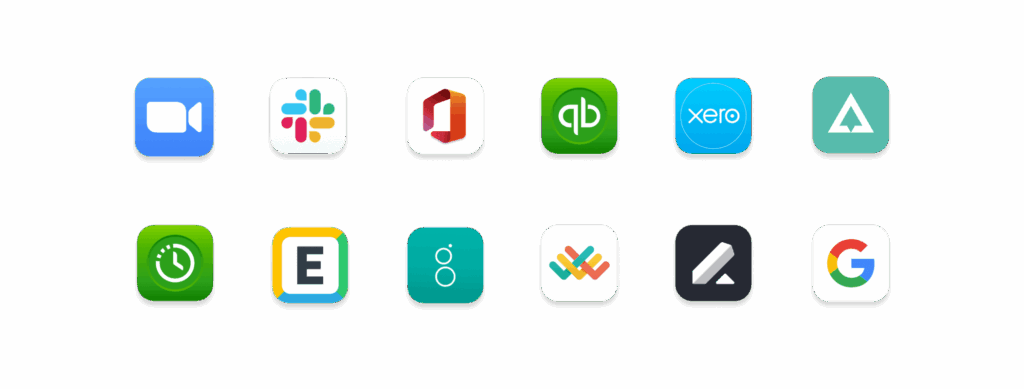
Gusto Integrations: Gusto integrates with 300+ popular business apps, including QuickBooks, Xero, Freshbooks, Expensify, and various CRMs and POS systems. The ecosystem is well-curated for small business needs.
ADP Integrations: ADP offers a massive app marketplace (ADP Marketplace) with hundreds of integrations across payroll, time, benefits, talent, and analytics. However, many advanced integrations require custom API work and are better suited for mid-market and enterprise companies.
Winner: Tie (both have robust ecosystems, but for different audiences).
📱 Mobile App & Accessibility
Gusto Mobile App: Gusto’s mobile app is highly rated, with users praising its clean interface and ease of use. Employees can access paystubs, request time off, clock in/out, and manage benefits. The Gusto Wallet app allows employees to access earned wages early, split deposits, and build savings. Gusto holds a 4.6/5 rating on G2 across over 7,000 reviews.
ADP Mobile App: ADP’s mobile app (ADP Mobile Solutions) is reliable for day-to-day tasks such as viewing pay information, tracking time, and accessing essential HR features. However, some functions are more robust on the desktop version, and users report occasional navigation issues. The app is a helpful efficiency tool, but not as polished as Gusto’s.
Winner: Gusto (superior mobile experience for employees and admins).
🔐 Security & Data Protection
Gusto Security: Gusto maintains SOC 2 Type 2, ISO 27001, and PCI DSS certifications. Customers can request SOC 1 and SOC 2 reports after signing a non-disclosure agreement. Gusto follows industry best practices for data encryption, background checks for employees, and confidentiality agreements.
ADP Security: ADP also maintains SOC 1 and SOC 2 reports, with bridge letters issued quarterly. The company follows industry best practices including ISO 27001 and SOC II standards. ADP’s security resources are comprehensive, including brochures, executive summaries, and customized questionnaire responses.
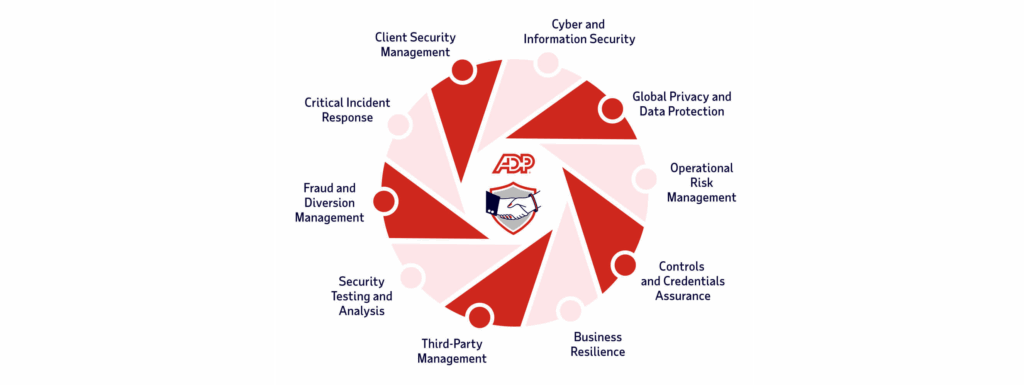
Winner: Tie (both maintain enterprise-grade security certifications).
🏢 Scalability (Small Business vs Enterprise Needs)
👉 Gusto fits small teams, while ADP scales better for large organizations.
Gusto Scalability: Gusto is purpose-built for small to medium-sized businesses (1–500 employees). It works wonderfully for startups, agencies, and remote teams. However, as businesses grow beyond 500 employees, Gusto’s feature set may become limiting, particularly for complex compliance, global payroll, and advanced HR needs.
ADP Scalability: ADP is designed to scale from 1 employee to 100,000+. With multiple product lines (RUN for small biz, Workforce Now for mid-market, Vantage for enterprise), ADP grows with you. If you plan to scale rapidly or already have 50+ employees, ADP is the safer long-term bet.
Winner: ADP (unmatched scalability from SMB to Fortune 500).
🤝 Customer Support & Service Quality
Gusto Support: Gusto offers email, chat, and phone support, plus a detailed help center. Users can purchase Priority Support ($30/month + $3/person) for faster phone and chat response times. However, support quality is a common criticism. Some users report long delays (6–8 weeks for tax support specialists), and there is no escalation chain to support customer needs. On Capterra, Gusto’s customer service rating is 4.4/5 based on 4,191 reviews.
ADP Support: ADP offers phone, chat, and dedicated account representatives for higher-tier plans. Users report that with ADP, you can get someone on the phone relatively quickly. However, ADP also receives complaints about sluggish support response times and clueless support teams, with 952 complaints filed with the BBB in the last 3 years. On Capterra, ADP’s customer service rating is 4.0/5 based on 264 reviews.
Winner: ADP (dedicated reps for higher tiers, but both have significant support complaints).
🔄 Free Trial, Pricing Transparency & Hidden Costs
👉 ADP pricing is often quote-based, while Gusto is more predictable.
Gusto:
- ✅ 3 month free trial (but month-to-month, cancel anytime)
- ✅ Fully transparent, published pricing
- ✅ No implementation fees
- ✅ No hidden costs (what you see is what you pay)
- ✅ Add-ons clearly priced (Priority Support, R&D tax credits, etc.)
ADP:
- ✅ Free demo available (no free trial)
- ❌ Opaque, quote-based pricing (requires sales call)
- ❌ Significant implementation fees ($2,000–$8,000+)
- ❌ Hidden fees for year-end tax forms, compliance services, and custom reporting
- ❌ PEPM fees vary by contract and are rarely disclosed upfront
Winner: Gusto (significantly more transparent and predictable).
👤 Who Should Use Gusto vs ADP? (Best For…)
Who Should Use Gusto?
- 🚀 Startups and small businesses (1–100 employees)
- 👨💼 Service-based businesses and agencies
- 👤 Freelancers and contractor-heavy teams
- 💼 Businesses that value design, simplicity, and user experience
- 📱 Mobile-first teams
- 💰 Companies that want transparent, predictable pricing
Who Should Use ADP?
- 🏢 Mid-market and enterprise companies (50+ employees)
- 🌍 Multinational organizations needing global payroll
- 🏗️ Industry-specific businesses with complex payroll (retail, hospitality, construction)
- 👥 Companies with dedicated HR teams needing granular control
- 📈 Rapidly scaling businesses that will outgrow Gusto
- ⚖️ Organizations with union payroll, shift differentials, or garnishments

⚖️ Pros and Cons: Gusto vs ADP
Gusto Pros and Cons
| Pros | Cons |
|---|---|
| ✅ Transparent, affordable pricing | ❌ Limited global payroll capabilities |
| ✅ Best-in-class ease of use | ❌ Reporting features can feel limited |
| ✅ Excellent mobile app (4.6/5 on G2) | ❌ Customer support response times vary |
| ✅ No implementation fees | ❌ Less suitable for 500+ employees |
| ✅ Auto-pilot payroll and tax guarantee | ❌ 3 month |
| ✅ Strong for W-2 + 1099 in one system | ❌ Limited customization for complex needs |
ADP Pros and Cons
| Pros | Cons |
|---|---|
| ✅ Unmatched scalability (SMB to Fortune 500) | ❌ Opaque, quote-based pricing |
| ✅ Powerful compliance for multi-state and unions | ❌ Significant implementation fees ($2k–$8k+) |
| ✅ AI-powered analytics (ADP Assist) | ❌ Steeper learning curve |
| ✅ Global payroll capabilities | ❌ Mobile app less polished than Gusto |
| ✅ Deep HR functionality (succession, talent, LMS) | ❌ Mixed customer support reviews |
| ✅ Trusted by 1M+ clients, 70+ years experience | ❌ Hidden fees and add-on costs |
🏁 Final Verdict: Gusto vs ADP – Which One Wins?
There is no single winner. The right choice depends entirely on your business size, complexity, and priorities.
Choose Gusto if you:
- Have 1–100 employees and want simple, affordable, transparent payroll
- Value design, user experience, and a great mobile app
- Don’t want to pay implementation fees or negotiate contracts
- Operate in one or two states without complex compliance needs
- Want to set up and run payroll in under 30 minutes
Choose ADP if you:
- Have 50+ employees or plan to scale rapidly
- Operate in multiple states or countries
- Need to handle complex scenarios (unions, shift differentials, garnishments)
- Have a dedicated HR team that needs advanced tools and analytics
- Want a platform that can grow with you from SMB to enterprise
The smart strategy: If you’re a startup or small business under 50 employees, start with Gusto. You’ll save money, time, and headaches. If you’re a mid-market or enterprise company, or you have complex payroll needs, invest in ADP. And if you’re in between? Get quotes from both and do the math but remember to factor in ADP’s implementation fees and hidden costs. 🏆
Must Read :-
Gusto vs Paychex: Which Payroll Software Is Best in 2026?
Gusto vs Rippling 2026: Which Is Best for Your Business?
❓ FAQs
1. Is Gusto better than ADP?
It depends. Gusto is better for small businesses (1–100 employees) due to its simplicity, transparency, and affordability. ADP is better for mid-market and enterprise companies with complex payroll needs.
2. Is ADP cheaper than Gusto?
Not typically. ADP has opaque, quote-based pricing with significant implementation fees ($2k–$8k+). Gusto’s transparent pricing ($40/month + $6/person) is usually more affordable for small businesses.
3. Does Gusto have a free trial?
No. Gusto does 3 month offer a free trial, but you can cancel anytime with month-to-month billing. ADP offers free demos but no free trial.
4. Does ADP have hidden fees?
Yes. ADP often charges extra for year-end tax forms, compliance services, custom reporting, and multi-state filings. Gusto has no hidden fees.

👨💻 Hi, I’m Anas Khan, a digital marketing expert with over 5 years of experience in e-commerce and affiliate marketing. I specialize in finding the best coupon codes 💸, Black Friday promotions 🛍️, and discount offers 💥 to help you save big!
I’ve dedicated myself to staying on top of the latest trends 📈 in online deals, so I can offer you the most reliable, tested advice. Whether you’re looking for promo codes or exclusive Black Friday deals, you can trust that my recommendations are based on solid research and personal expertise 🏆.